
Understand and configure MQTT TLS certificates
Choose the right TLS trust path, configure Mqttable, and verify a secure MQTTS, WSS, or QUIC connection.
- Author:
- Mqttable
- Updated:
On this page6 sections
Loading...
Choose the right TLS trust path, configure Mqttable, and verify a secure MQTTS, WSS, or QUIC connection.
Loading...
Most public and managed Brokers use a server certificate issued by a public CA. Start with System CA and upload nothing unless the Broker operator explicitly gives you a private CA or requires mTLS.
You are done when Verify server identity remains enabled, Test Connection returns Connection OK, the created Connection reaches Connected, and an authorized message round trip succeeds.
The Broker Test Connection sends no MQTT username or password and uses the configured TLS settings. Authentication refusal is not a transport failure or a save restriction. For an authenticated endpoint, save the Broker and test the credentials in the Client form; successful CONNECT does not verify publish/subscribe permissions.
Use the material supplied by the Broker operator, cloud console, or your administrator. Do not guess from filenames and do not generate an arbitrary client certificate: the Broker cannot authenticate a certificate it does not trust.
Keep server verification enabled, select System CA, and leave mTLS off. Usually no certificate file is needed.
A ca.crt, ca.pem, or CA bundle
Select Custom CA and put the supplied trust material in CA Certificate.
An mTLS requirement plus a client certificate and key
Choose System CA or Custom CA for the server, enable mTLS, and configure both Client Certificate and Private Key.
This is MQTT Authentication, not a client certificate. Configure it when creating the MQTT Connection.
Never request or upload server.key. The server private key stays on the Broker.
This is the default path for public and managed Brokers.
mqtts, wss, or quic.The light screenshots use an isolated Edit Broker dialog; first-time setup uses the same TLS controls under New Broker.
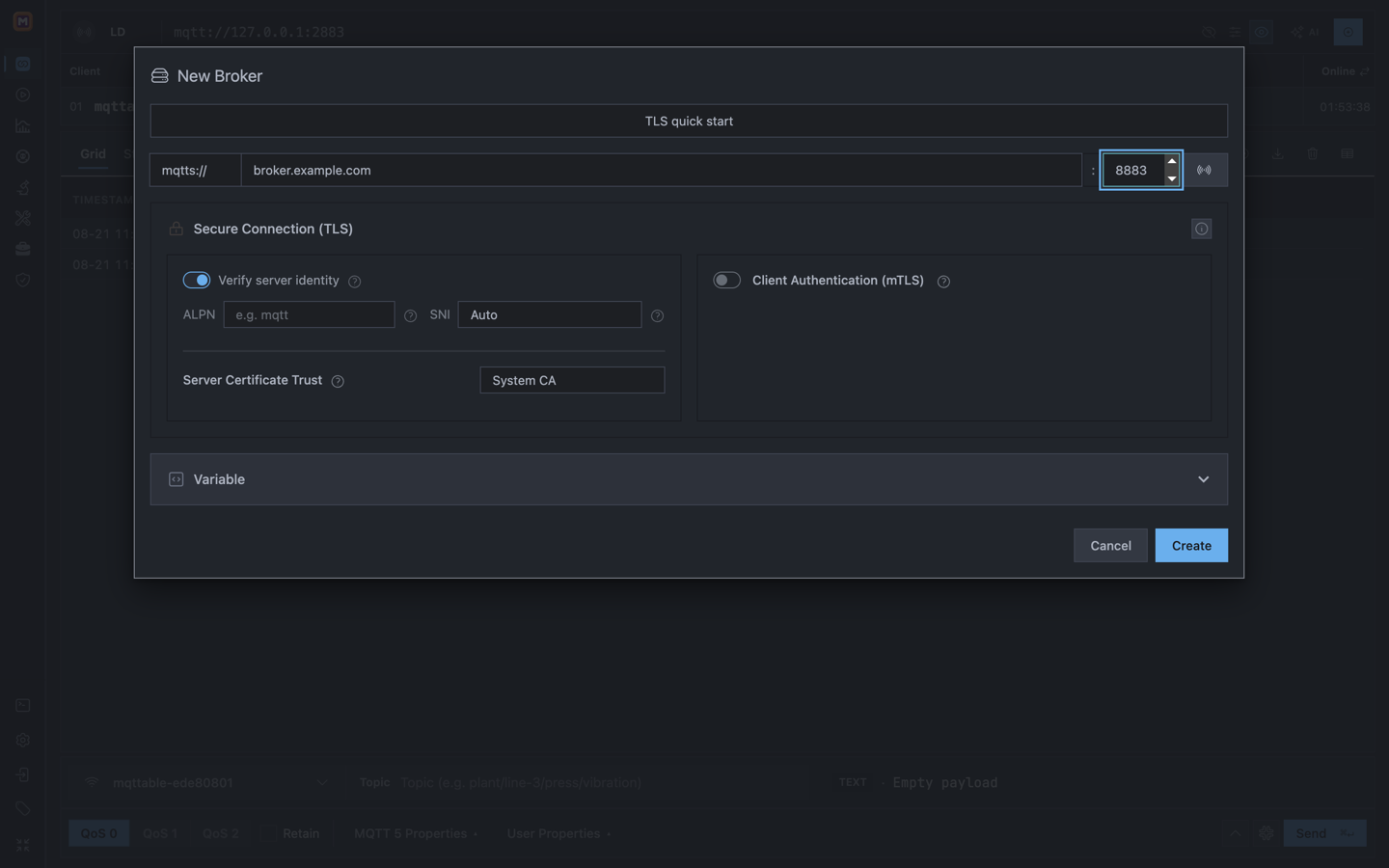
System CA is the public-trust choice; this configuration state has not yet been connection-tested.
Only use these paths when the Broker operator explicitly supplies the required material.
Ask for the CA Certificate or CA bundle that clients must trust. If you
receive only server.crt, confirm that the operator intends
clients to trust that self-signed certificate.
Set Server Certificate Trust to Custom CA.
Under CA Certificate, choose Upload, Paste clipboard, or a protected Saved reference.
Leave mTLS off unless the Broker also requires a client certificate.
Enable Client Authentication (mTLS).
Configure the supplied Client Certificate and matching Private Key separately.
Confirm that the Broker trusts the client certificate issuer. A normal username/password connection does not require mTLS.
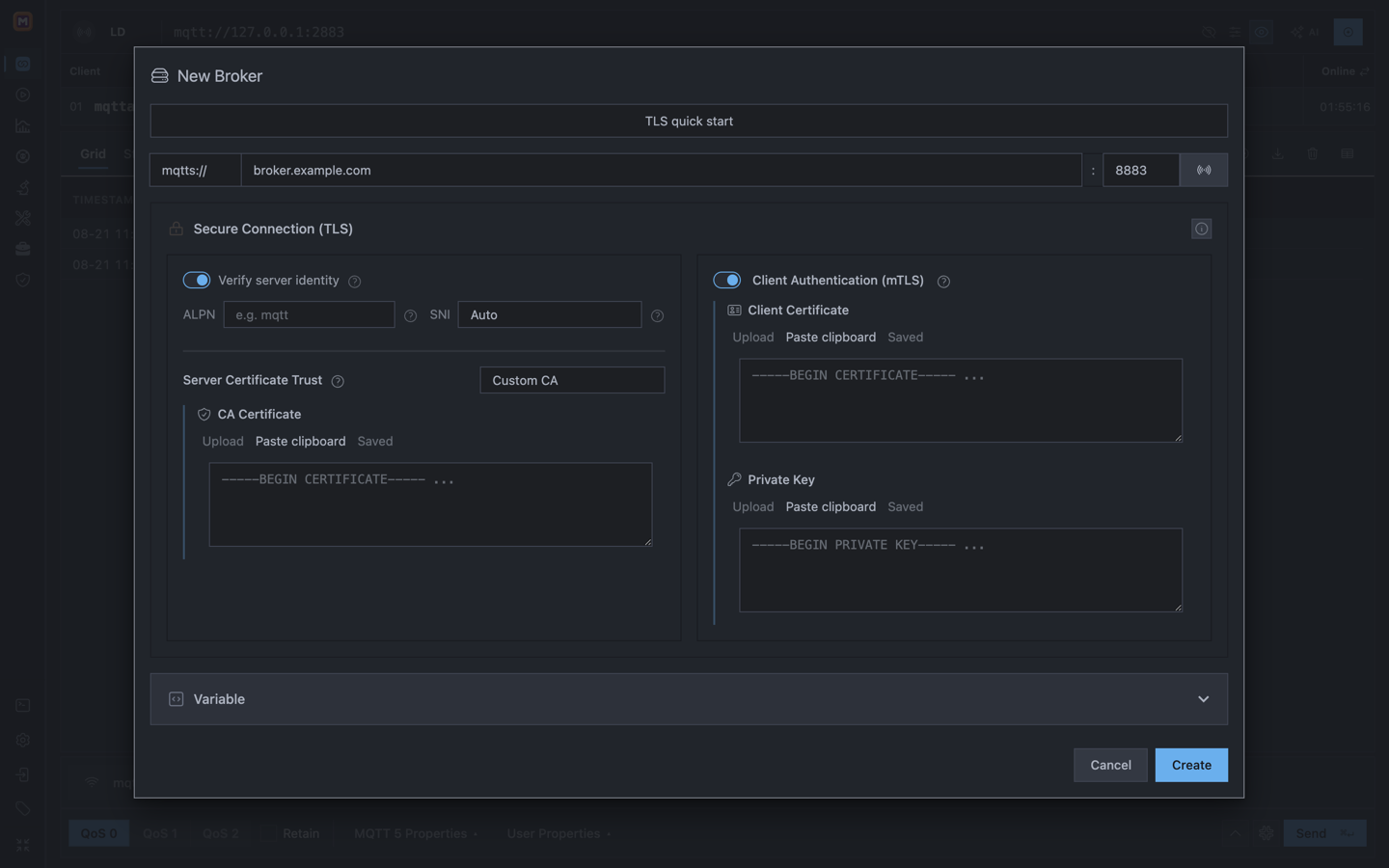
mTLS adds a client certificate and private key to normal server verification; put each item in its matching field.
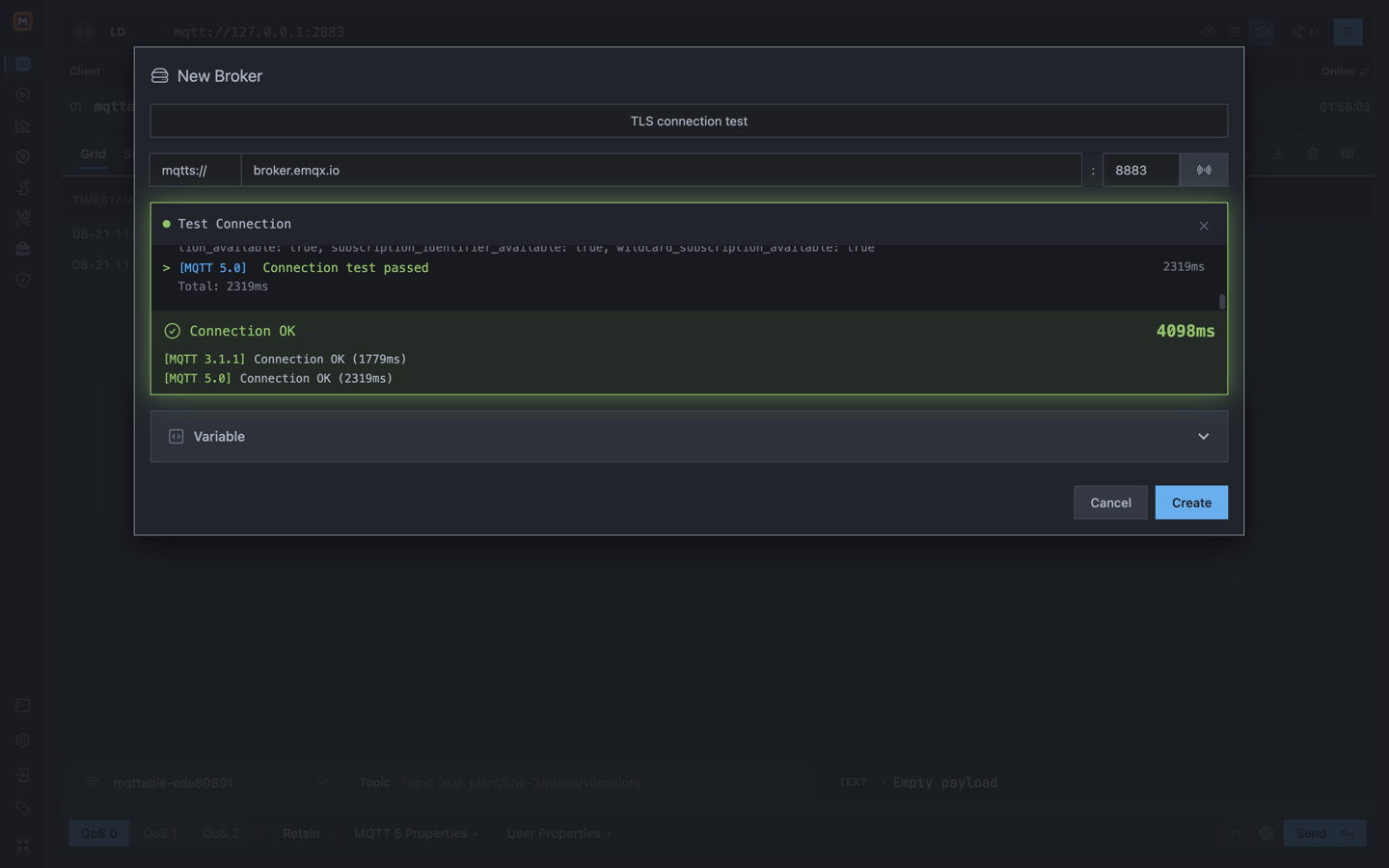
Connection OK confirms that the endpoint and current TLS settings completed the test handshake.
Do not fix a certificate error by disabling server verification. Keep it enabled for every production or public-network connection.
The light test image uses an isolated loopback Mosquitto Broker and a temporary Custom CA. Its green result proves only that the local TLS handshake and MQTT CONNECT succeeded; it does not verify publish or subscribe permissions.
Unknown CA / unable to get local issuer
Check whether System CA or Custom CA is correct and whether the CA bundle is complete.
Check whether Host appears in the server certificate SAN. Do not disable verification.
Certificate expired / not yet valid
Check the certificate dates and the computer clock.
Missing Client Certificate or Private Key
Check whether mTLS was enabled by mistake. A required mTLS connection needs both materials.
Certificate and key do not match
Check whether the client certificate and key came from the same issuance.
Unsupported or encrypted private key
Use a separate supported, unencrypted Private Key instead of
.p12 or .pfx.
Connection refused / timeout
Check Host, Port, listener, DNS, firewall, and network. This usually happens before certificate validation.
Not authorized after TLS succeeds
Check the Connection username/password, client-certificate authorization, or Topic ACL. Do not keep changing the CA.
Change one item at a time and retest. This separates network, TLS handshake, MQTT Authentication, and Topic Authorization failures.
Mqttable always verifies the Broker certificate. The Broker verifies a Mqttable client certificate only when mTLS is enabled.
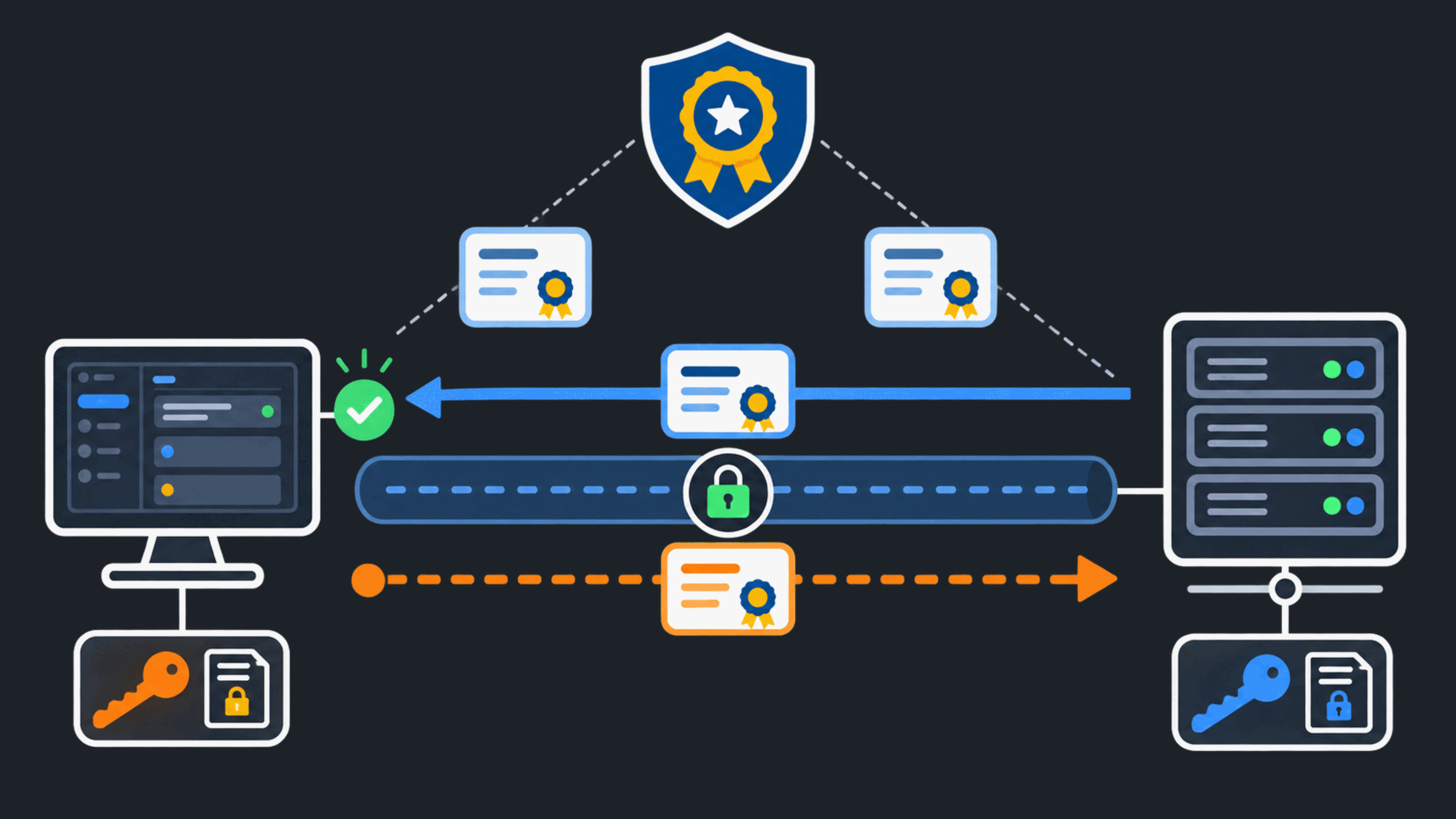
Mqttable is on the left; the MQTT Broker is on the right.
The Broker sends its Server Certificate; Mqttable verifies it.
Mqttable sends a Client Certificate only when mTLS is required.
.pem, .crt, and .der..pem, .key, and .der.Mqttable does not import .p12 or .pfx directly
and does not accept an encrypted Private Key. Ask the administrator for
separate supported certificate files and an unencrypted key. Never send
a private key to a third party just to convert it.
Before uploading, confirm that:
Host uses a name covered by the certificate; an IP connection requires that exact IP in the certificate.
This page does not teach production certificate issuance or Broker-side deployment. For saved material, passwords, and rotation, continue to Manage credentials, TLS, and authentication safely.