
Connect your Agent and complete the first MQTT message
Enable MCP, configure a trusted Agent, and verify a complete subscribe, publish, receive, and Trace loop on an isolated Topic.
- Author:
- Mqttable
- Updated:
On this page6 sections
Loading...
Enable MCP, configure a trusted Agent, and verify a complete subscribe, publish, receive, and Trace loop on an isolated Topic.
Loading...
You will connect a trusted local Agent to Mqttable, create one isolated test Connection, subscribe it to a unique Topic, publish one QoS 1 JSON message, and confirm the complete exchange in Trace.
Before you start:
broker.emqx.io:1883; a unique Topic reduces collisions but is not private.Open Application Settings > MCP, then turn on Enable MCP. A new installation keeps MCP off until you enable the local endpoint.
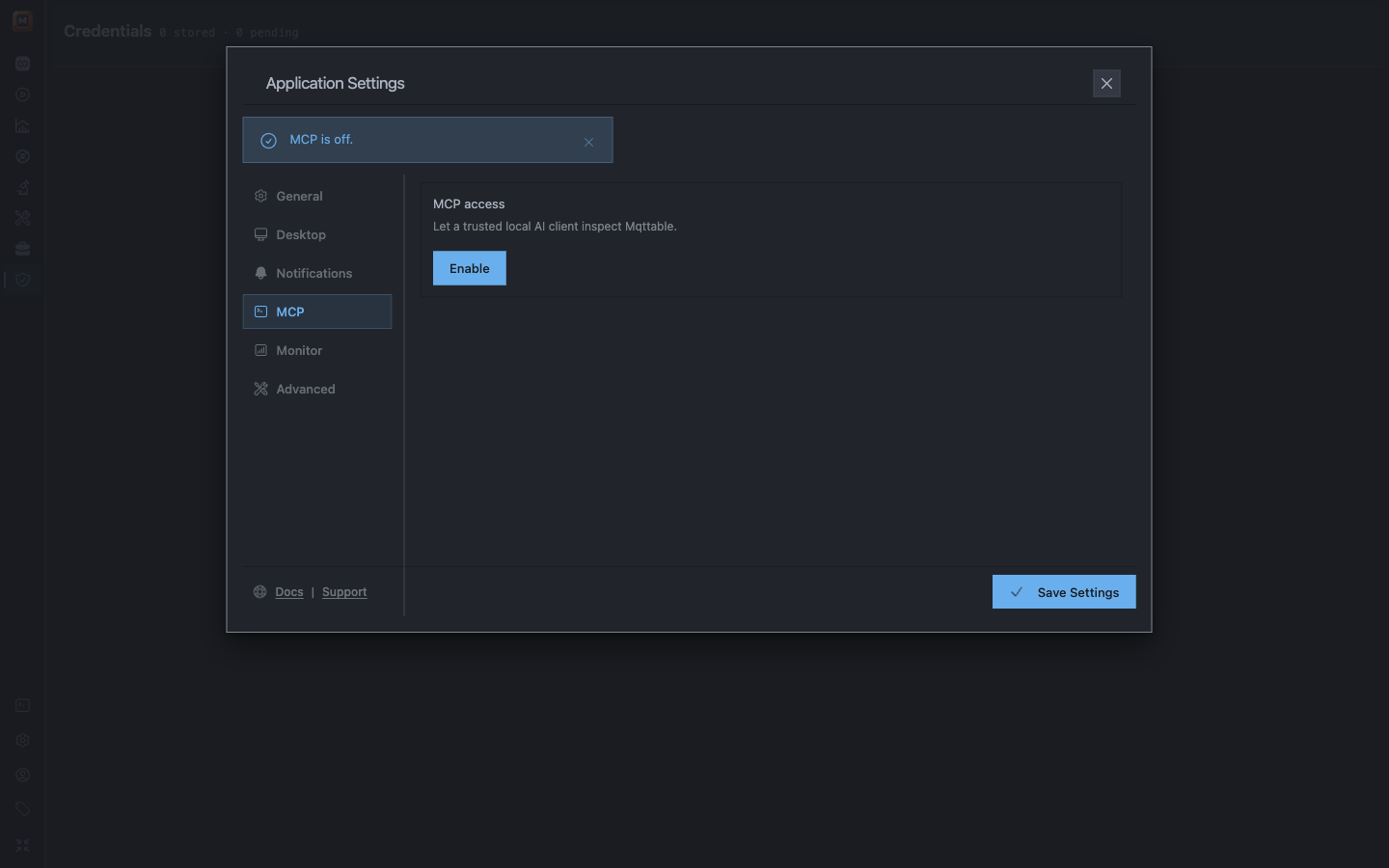
MCP starts off. Enable it only for a client you trust on this computer.
Turn on Enable MCP to authorize supported reads and changes. This takes effect immediately and remains active until you disable MCP. There is no separate read-only access level.
Enable MCP is the authorization boundary. Supported changes use execute_mqttable_action with a stable idempotency_key. The server checks, executes and collects evidence. Query operation.read through the read tool only for pending or uncertain results; never repeat an unknown effect with a new key.
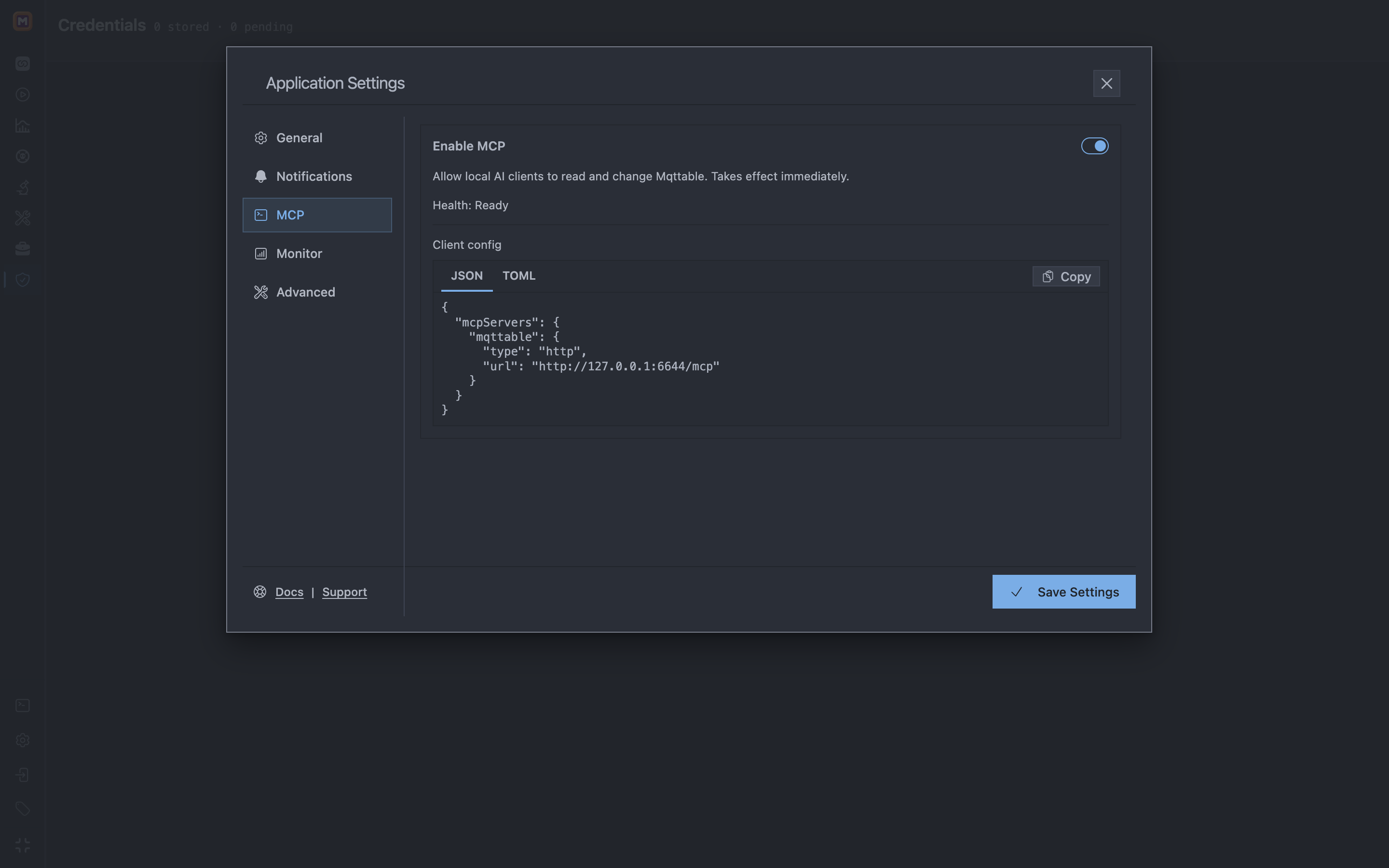
Enabling MCP delegates supported reads and changes to local clients. Copy the URL-only Client config without adding credentials.
Choose JSON or TOML, then select Copy. Use the complete block generated by Mqttable. Do not retype the endpoint or add an Authorization header, token, password, or URL query credential.
Add the copied config only to a client and workspace you trust:
~/.codex/config.toml, or in .codex/config.toml for a trusted project. Start a fresh session and confirm mqttable with /mcp or codex mcp list..mcp.json. Start a fresh session, approve the project server when prompted, and confirm it with /mcp..cursor/mcp.json for the project or ~/.cursor/mcp.json globally. Open Customize > MCP to confirm that mqttable is enabled and connected.127.0.0.1 reaches this Mqttable Runtime.Before continuing, ask the Agent to report the connected Mqttable Runtime, enabled, and runtime_health. Continue only when the Runtime is local, enabled: true, and runtime_health: ready.
Copy this prompt into the same Agent session:
Main prompt
Use the connected Mqttable MCP tools to send and receive my first MQTT message through broker.emqx.io:1883. Use MQTT 5.0, QoS 1, and a test JSON message. Do not change anything I already have. When it is done, tell me where to see the result in Mqttable.
That is the whole task. The Agent chooses the temporary names and MCP steps. If the public Broker is unavailable, it should stop instead of using another endpoint.
When the Agent finishes, return to Connections. A successful run looks like this:
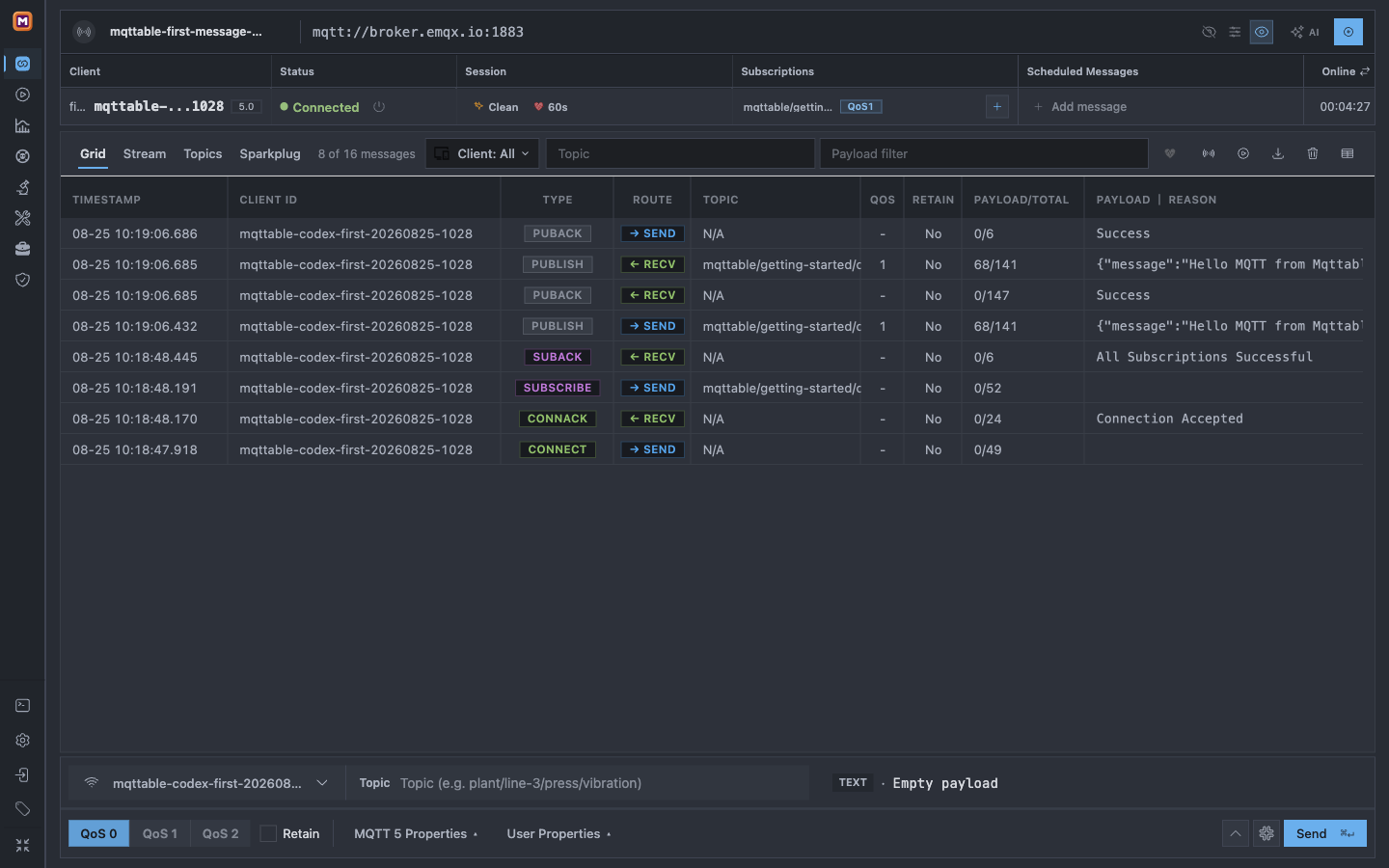
The completed MCP run appears in one view: the connected client, its QoS 1 subscription, and the matching exchange in Trace.
You only need to check three things:
5.0;QoS1; andPUBLISH rows with successful PUBACK rows.If any result is missing, stop instead of sending another message and use Troubleshooting.
Keep the completed report in the same Agent conversation, then send this prompt:
Cleanup prompt
Remove only the temporary Broker, Connection, and Topic you created for my first-message test. Leave everything else unchanged, then confirm that those temporary objects are gone.
If you start a different Agent conversation, paste the exact object list from the completed report before asking for cleanup.
Continue with Connections & Messages to create a bounded scheduled heartbeat, or Trace & Diagnosis to examine the QoS 1 exchange in more detail.