
Run a small, bounded MQTT Benchmark
Run a 10-second Benchmark against an isolated local Broker and review throughput, connections, errors, and the stopped result.
- Author:
- Mqttable
- Updated:
On this page4 sections
Loading...
Run a 10-second Benchmark against an isolated local Broker and review throughput, connections, errors, and the stopped result.
Loading...
You will run a small 10-second Benchmark only against an isolated Broker at 127.0.0.1:18883, then confirm throughput, connection, and error results after the runner stops. The historical dark screenshot used port 1883; the current light capture uses 18883 because that listener belongs to this disposable local demo.
Start only when that loopback endpoint belongs to your disposable test environment. The Agent handles the safety preflight; never substitute a shared or production Broker.
Send this single paragraph to the Agent connected to Mqttable:
Main prompt
Use the connected Mqttable MCP tools to run a small 10-second Benchmark only against isolated 127.0.0.1:18883. Stop when complete and report throughput, connection, and error results. Choose temporary names, preserve existing configuration, and return the exact cleanup list.
The Agent chooses temporary names, creates only isolated test objects, leaves existing configuration unchanged, and returns the exact object list in its completed report for cleanup.
After a successful run, confirm these signals in Mqttable:
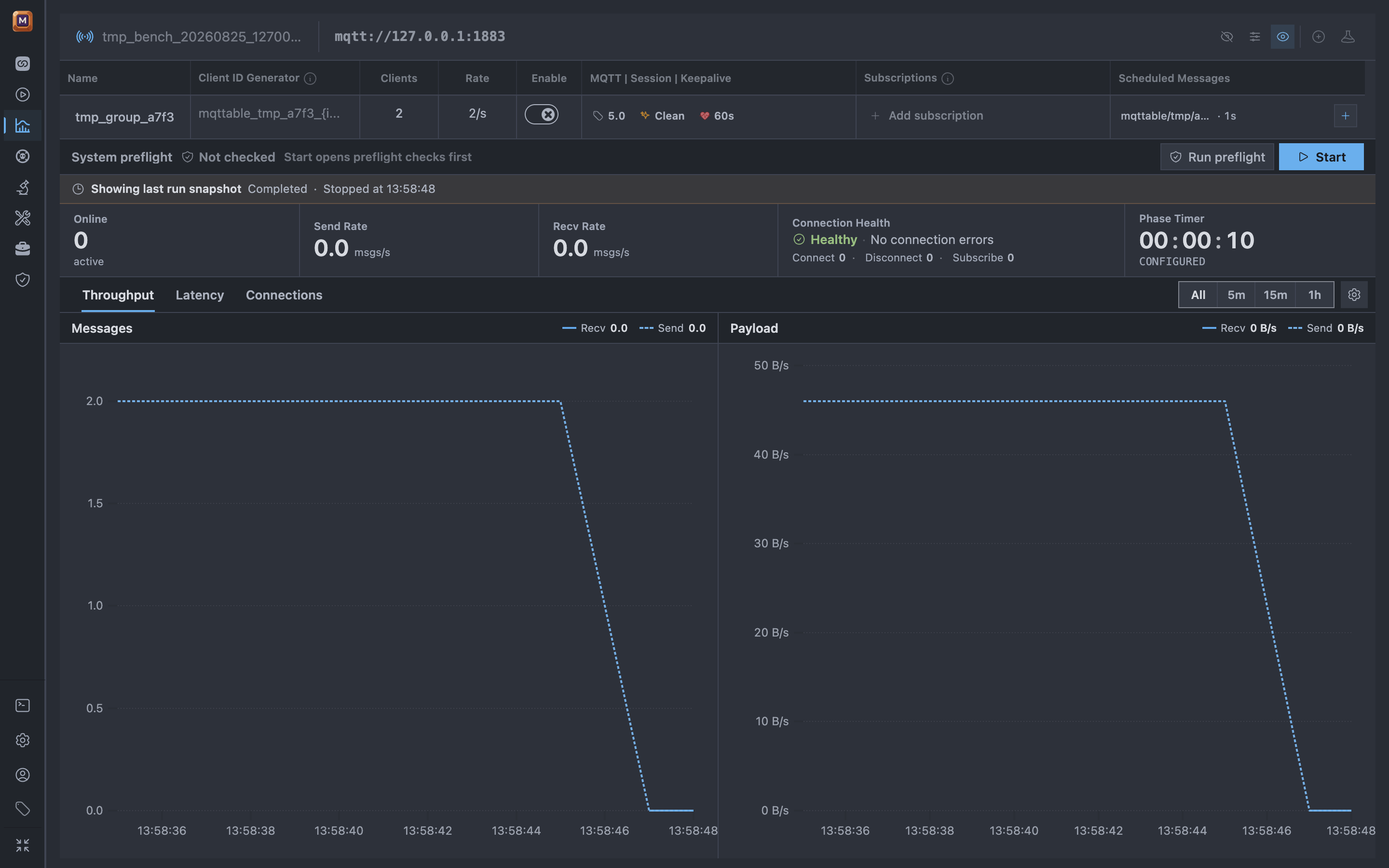
The stopped Benchmark keeps the short run visible with its main health metrics.
The current light result was produced through MCP against a disposable loopback Broker. It shows three planned Clients, a completed 10-second run, retained Send/Recv rates of 1.0/2.0 messages per second, and zero connection errors. The interactive Preflight strip says Not checked after this MCP run; use the MCP operation's safety result and the completed snapshot as evidence, and run interactive Preflight before any later manual Start.
If any success signal is missing, stop without expanding the scope and use Troubleshooting.
In the same Agent conversation, send:
Cleanup prompt
Remove only the temporary objects listed in your completed report. Leave everything else unchanged, then confirm those exact objects are gone.
Continue with Proxy to compare a controlled local latency fault and recovery.