
Bind TLS credentials through secure Intake
Create a disabled local MQTTS test Connection and bind disposable TLS material without sending raw secrets through chat or MCP.
- Author:
- Mqttable
- Updated:
On this page4 sections
Loading...
Create a disabled local MQTTS test Connection and bind disposable TLS material without sending raw secrets through chat or MCP.
Loading...
You will create a disabled MQTTS test Connection for 127.0.0.1:8883, open Mqttable’s first-party secure Intake, bind disposable test CA, client certificate, and private key references, then confirm the redacted saved result.
Prepare disposable test material only. Raw certificates, private keys, passwords, and tokens must enter only the first-party Intake page—not chat or MCP. The Connection remains disabled and never contacts a server.
Send this single paragraph to the Agent connected to Mqttable:
Main prompt
Use the connected Mqttable MCP tools to create a disabled 127.0.0.1:8883 MQTTS test Connection, then bind disposable test CA, client certificate, and private key through Mqttable secure Intake. Never put raw material in chat or MCP; return the exact cleanup list.
The Agent chooses temporary names, creates only isolated test objects, leaves existing configuration unchanged, and returns the exact object list in its completed report for cleanup.
After a successful run, confirm these signals in Mqttable:
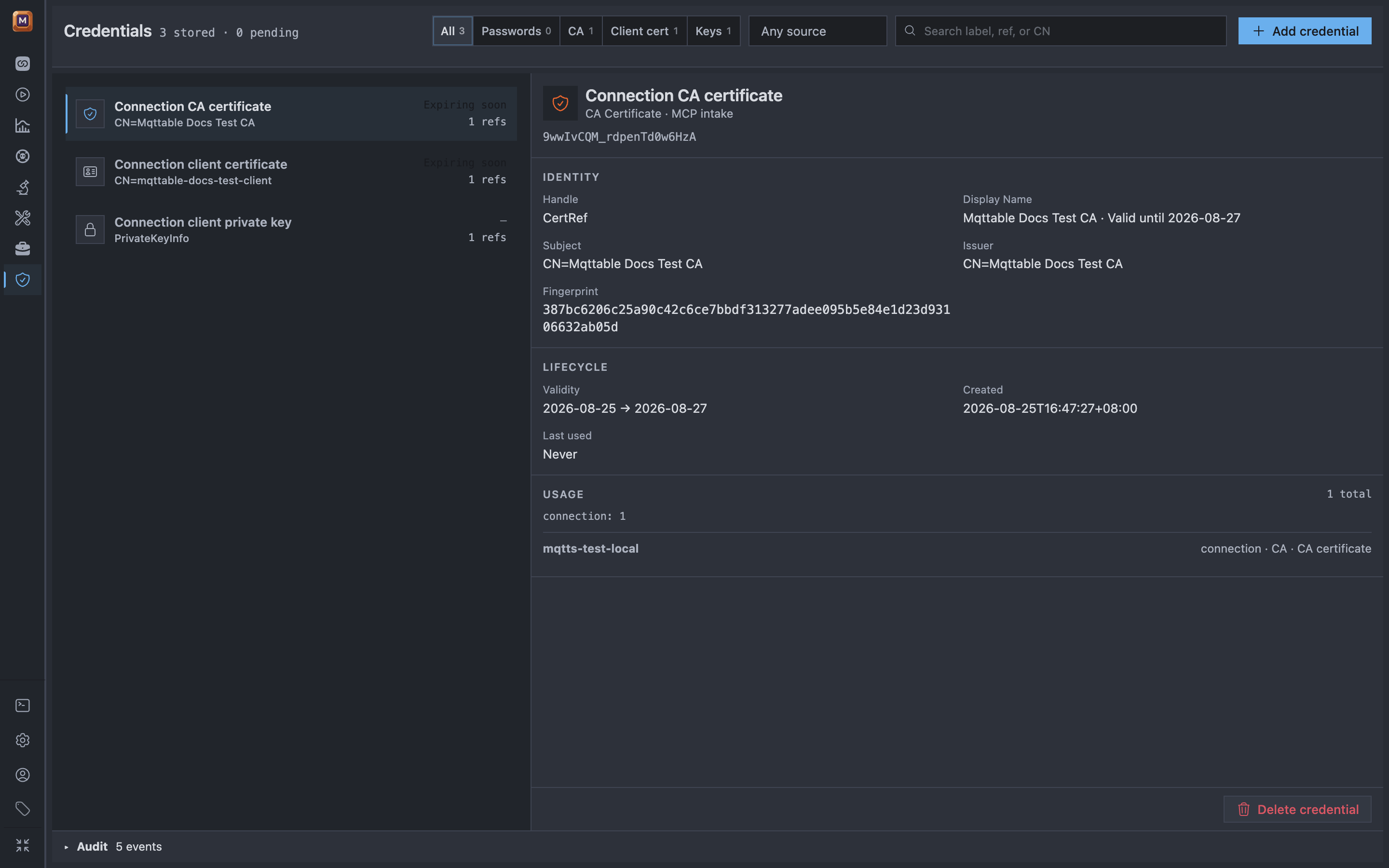
The Credentials registry shows all three non-exportable TLS references and their test-Connection usage without exposing raw material.
The current light capture used disposable one-day test certificates, so the registry marks the two certificates Expiring soon. That is intentional test material, not suitable for production. The Connection remained disabled; the Agent bound only opaque references after the first-party Intake accepted the raw files.
If any success signal is missing, stop without expanding the scope and use Troubleshooting.
In the same Agent conversation, send:
Cleanup prompt
Remove only the temporary objects listed in your completed report. Leave everything else unchanged, then confirm those exact objects are gone.
Continue with Playbooks & Reports to test a controlled Dry Run.