
MQTT Quickstart
Connect two clients, publish a JSON message, and verify the round trip in Trace.
- Author:
- Mqttable
- Updated:
On this page12 sections
Loading...
Connect two clients, publish a JSON message, and verify the round trip in Trace.
Loading...
This tutorial starts with installation and ends when subscriber receives the same JSON message and Trace shows the QoS 1 acknowledgements. It uses an authorized local test Broker at 127.0.0.1:1883; Mqttable does not include an MQTT Broker.
Open the Mqttable Download page, choose the installer that matches your operating system and CPU, and use Verify download to compare its SHA-256 checksum before opening it. The current release supports Apple Silicon Macs running macOS 15 or later, plus Linux x86_64 AppImage and DEB packages. Windows and Intel Macs are not current release targets.
After installation, open Mqttable. A new installation starts in the Local Runtime Connections workspace. Continue when the page shows No Brokers Available.
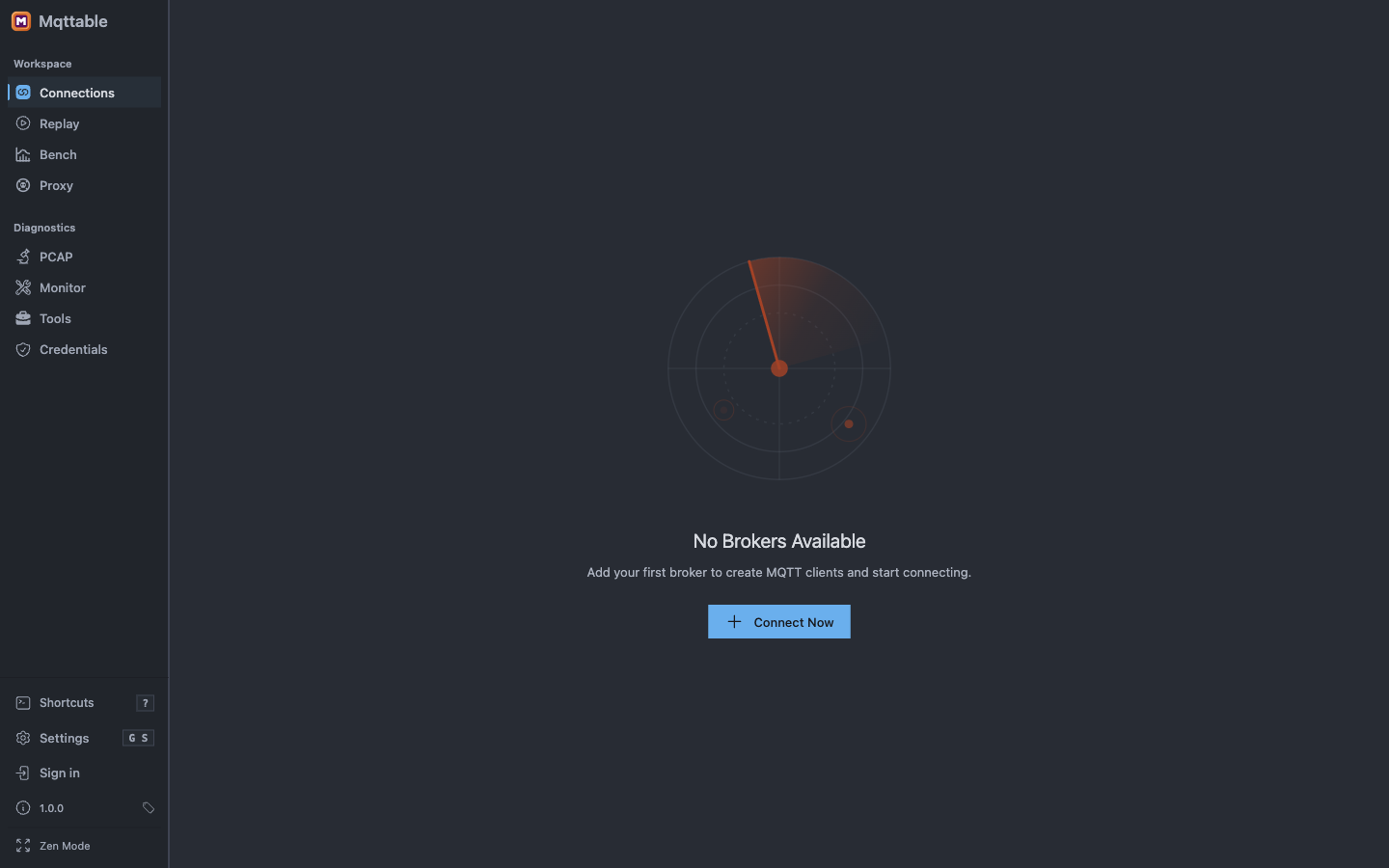
A clean installation opens the Connections workspace without a configured Broker.
Select Connect Now.
This tutorial expects a Broker that you own or are authorized to use to be listening at 127.0.0.1:1883. Mqttable tests and connects to that endpoint; it does not start the Broker.
Enter these values in New Broker:
Local Demo127.0.0.11883Select Test Connection.
The Broker Test Connection sends no MQTT username or password and uses the configured TLS settings. Authentication refusal is not a transport failure or a save restriction. For an authenticated endpoint, save the Broker and test the credentials in the Client form; successful CONNECT does not verify publish/subscribe permissions.
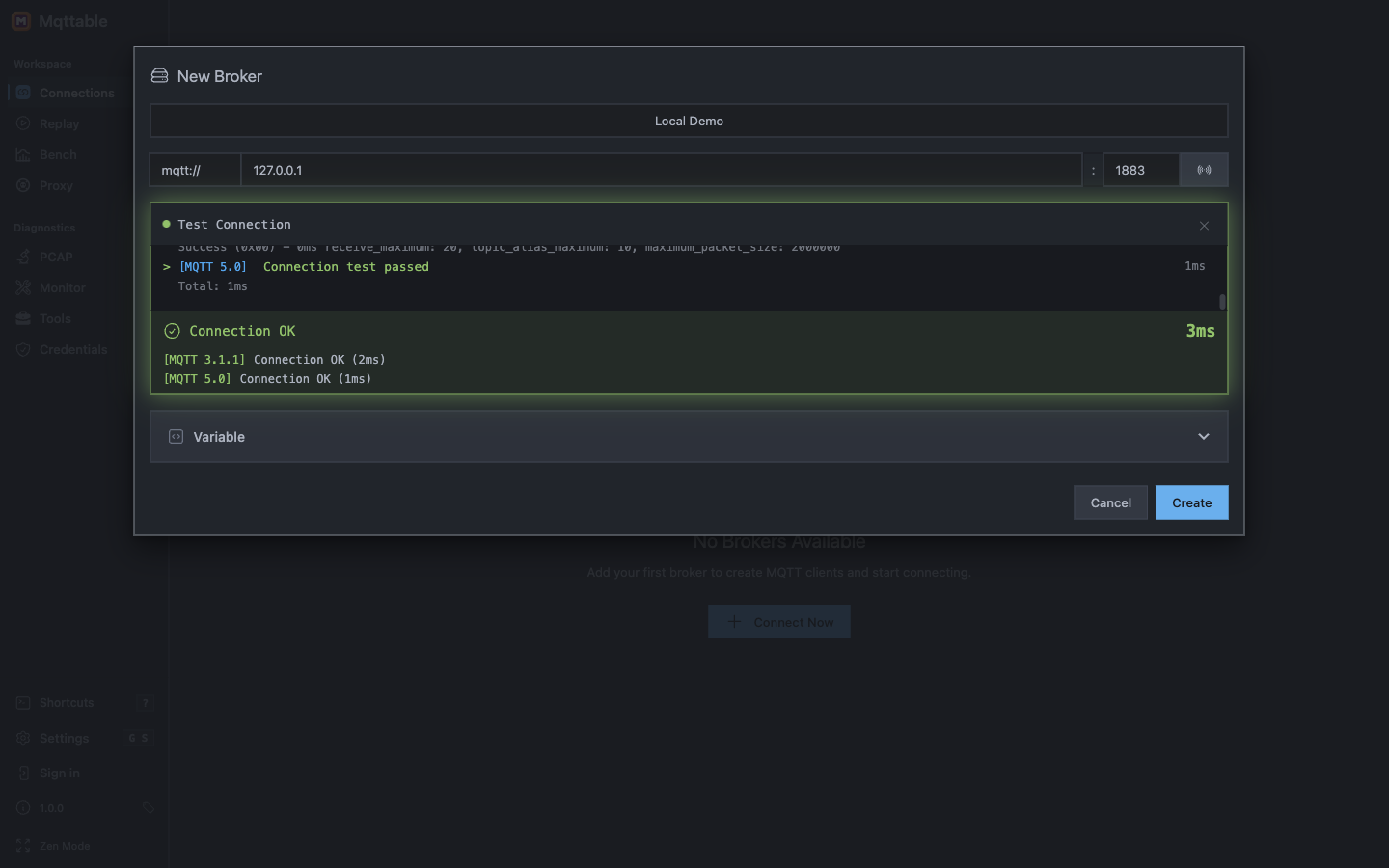
Create Local Demo only after the loopback endpoint passes both MQTT version tests.
Screenshot note: the light captures used isolated port 18883 because 1883 was occupied on the capture machine. Follow the port where your authorized local Broker actually listens.
When both versions show Connection OK, select Create. If the test fails, make sure the local Broker is running and that its listener uses the selected protocol, Host, and Port. This guide assumes loopback; use the public Broker guide only if you want to connect to a public broker.
Select New MQTT Client and create the first client:
publishermqttable-publisher-session01Select Connect. Then select New Client and prepare the second client:
subscribermqttable-subscriber-session01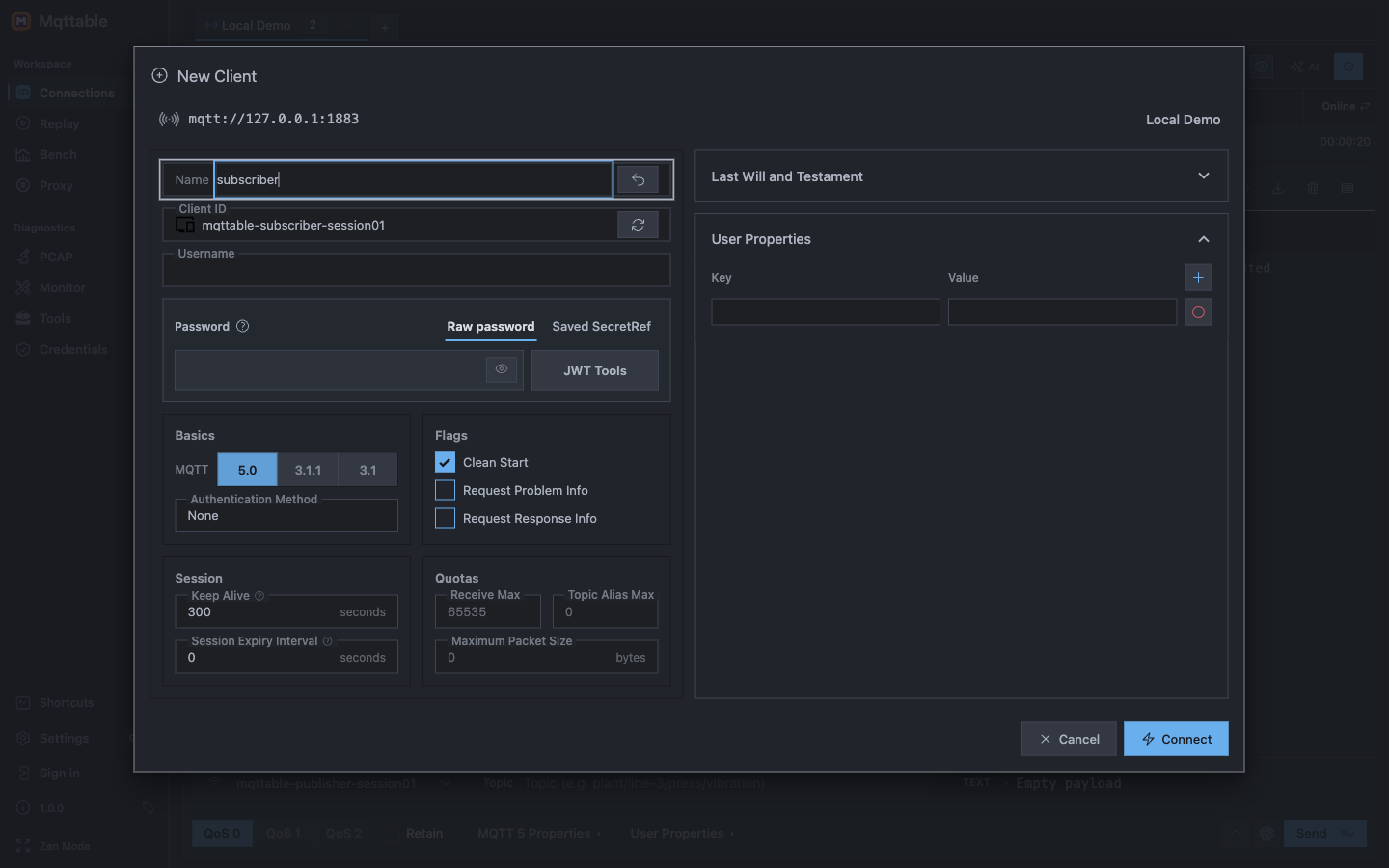
Use separate MQTT sessions for publishing and receiving the tutorial message.
Select Connect. Do not continue until both client rows show Connected. If an earlier run already created Local Demo or either Client ID, use step 8 to remove the old tutorial Broker first.
On the subscriber row, select Add subscription and enter:
subscriberfactory/line-1/temperature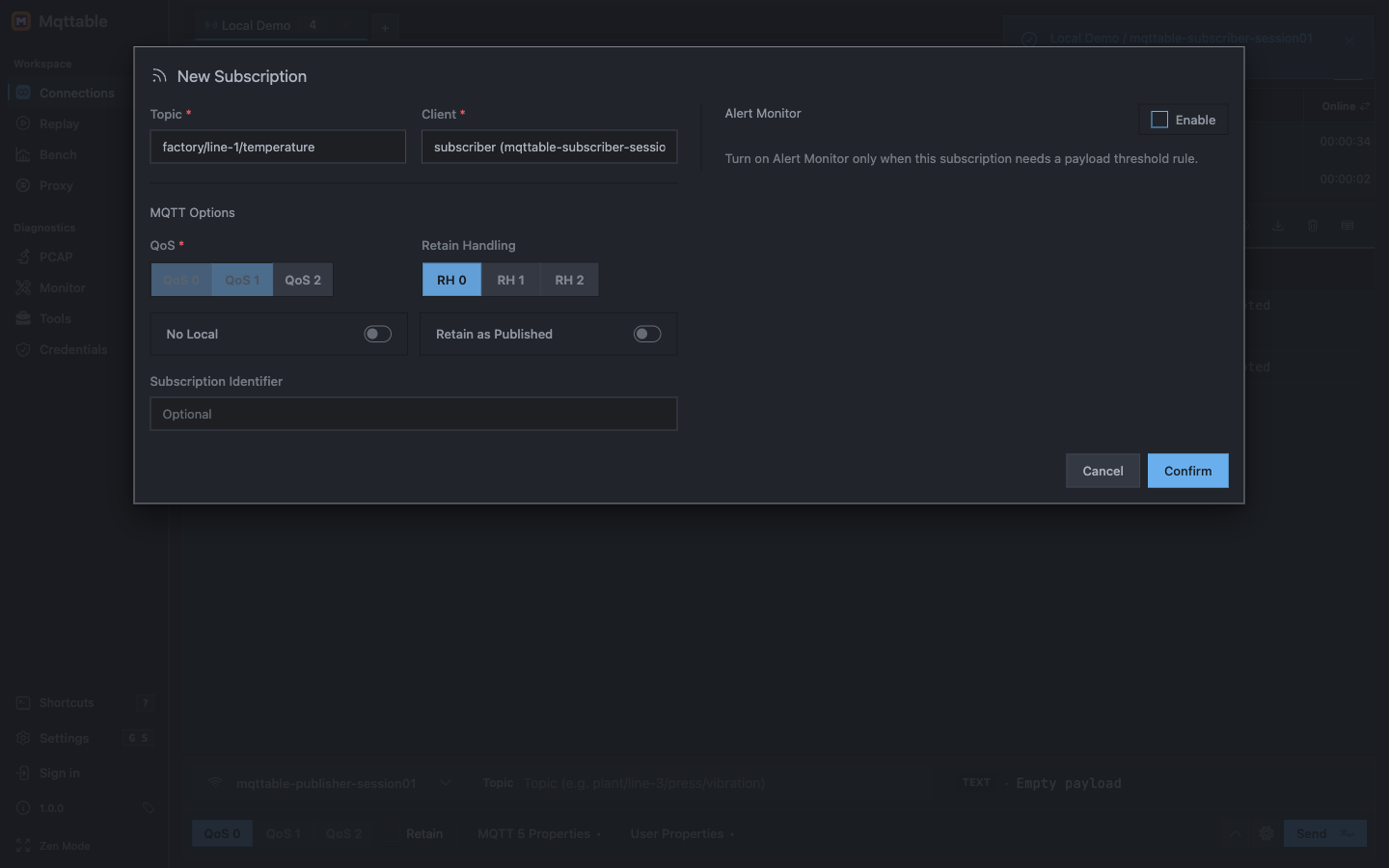
Register the exact Topic before the publisher sends the message.
Select Confirm. The subscriber row must show factory/line-1/temperature with a QoS1 badge before you publish.
Select publisher in the Composer and enter:
factory/line-1/temperature{ "sensor": "temp-01", "value": 23.4, "unit": "C" }
Before sending, select Clear messages and confirm the deletion for Local Demo. Confirm Trace shows 0 messages, and leave both filter fields empty so the next step can show the PUBACK rows.
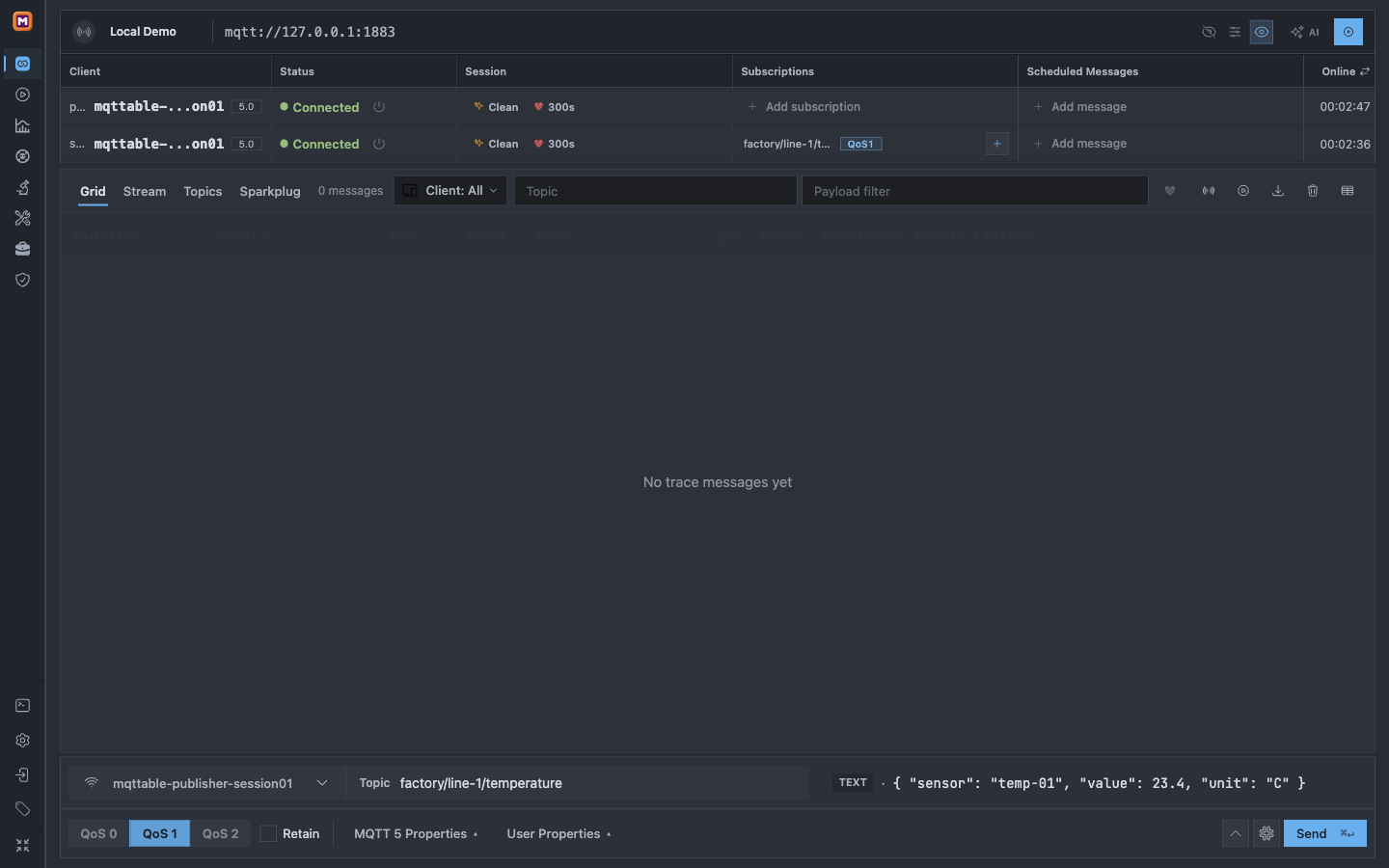
Start from an empty Trace with no filters so the next four rows belong to this one publish.
Select Send once.
Keep both filter fields empty. Trace should now contain four related rows. It may display the newest acknowledgement first.
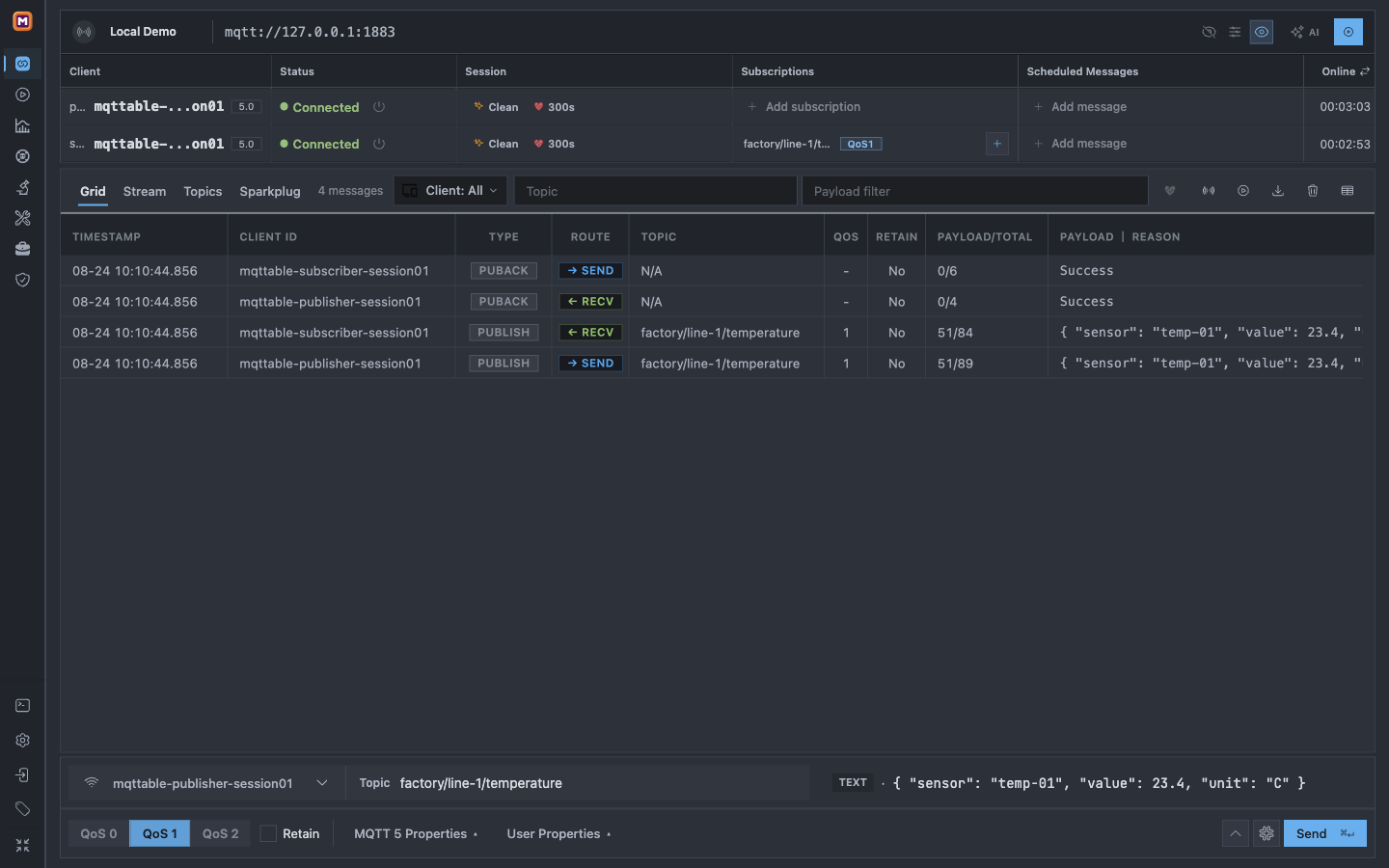
The matching Topic, Payload, directions, and acknowledgements prove the complete message flow.
You are done when:
publisher shows PUBLISH / SEND.subscriber shows PUBLISH / RECV with the same Topic and Payload.publisher shows PUBACK / RECV.subscriber shows PUBACK / SEND.A Connected status or a pressed Send button alone does not prove delivery.
Select the subscriber row marked PUBLISH / RECV. Mqttable opens Message Details beside Trace.
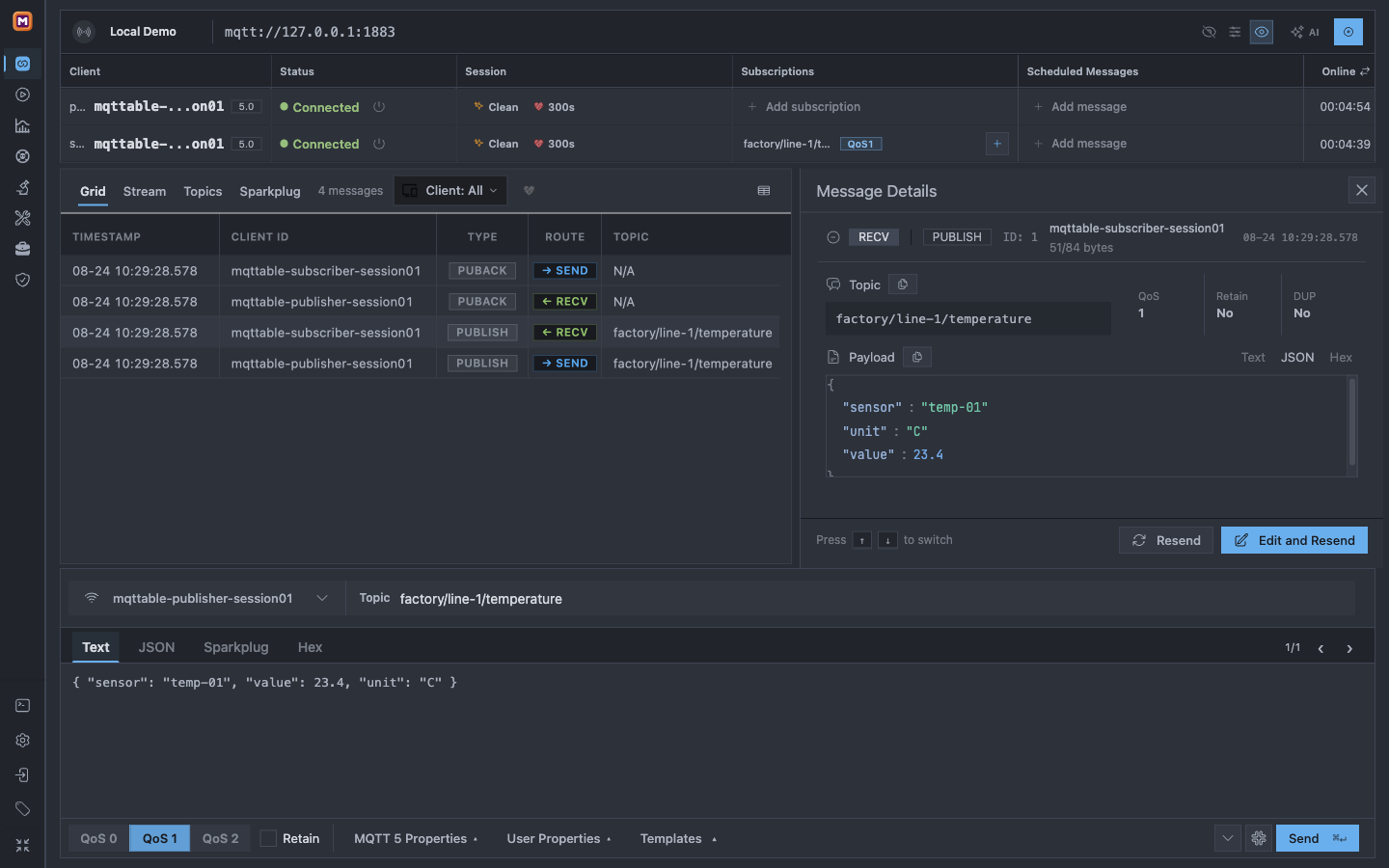
Select a Trace row to inspect that MQTT packet without losing the surrounding message flow.
The detail panel should show mqttable-subscriber-session01, RECV, PUBLISH, factory/line-1/temperature, QoS 1, and the same JSON Payload.
Open the Local Demo Broker settings and select Delete.
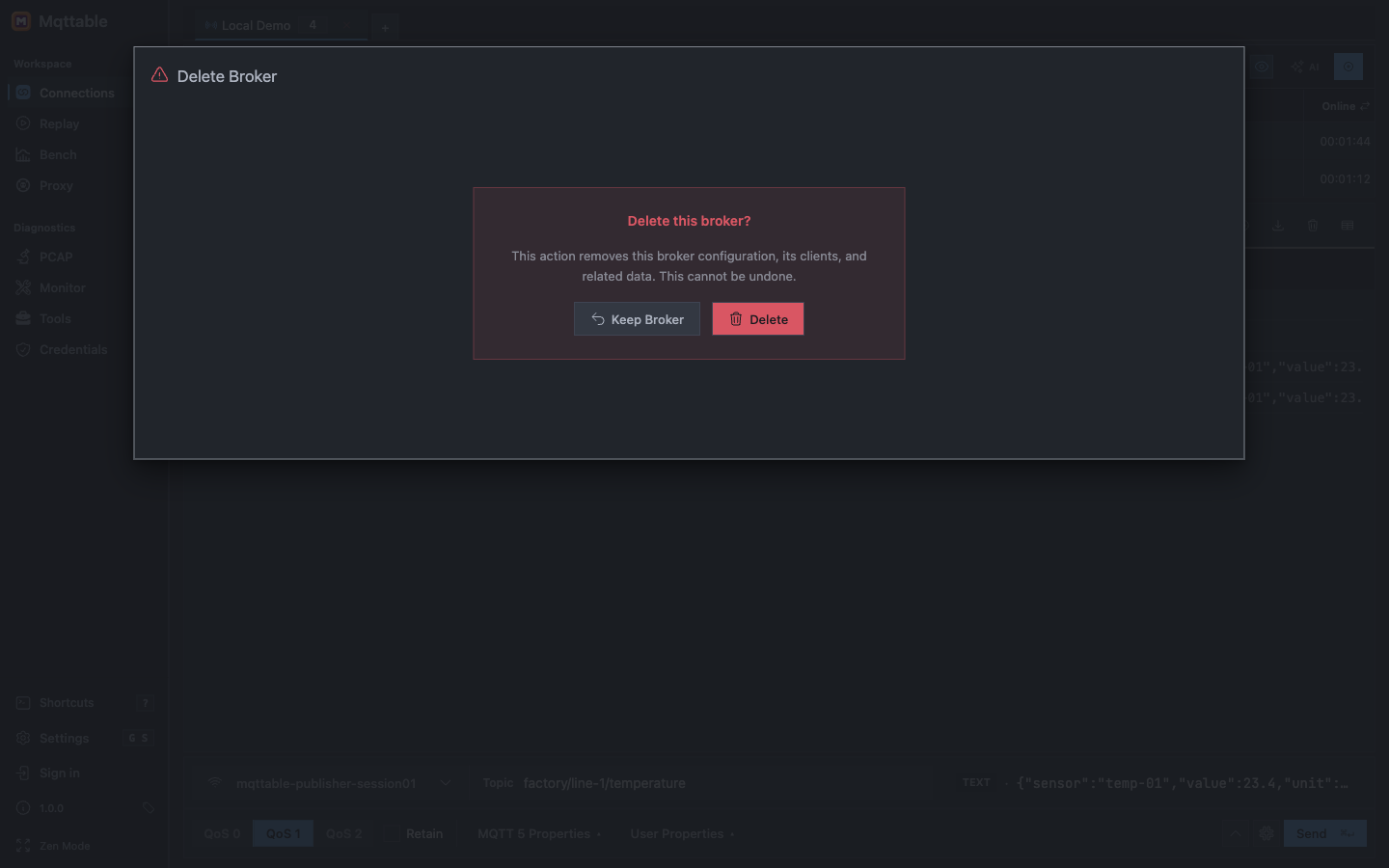
Delete Local Demo after checking the result so the next run starts cleanly.
Select Delete again. This removes Local Demo, both tutorial clients, the Subscription, and related local data.
127.0.0.1:1883 and that Protocol is mqtt.Local Demo tutorial Broker before repeating the fixed names.subscriber is Connected, the Topic is exact, QoS is 1, and you selected Confirm.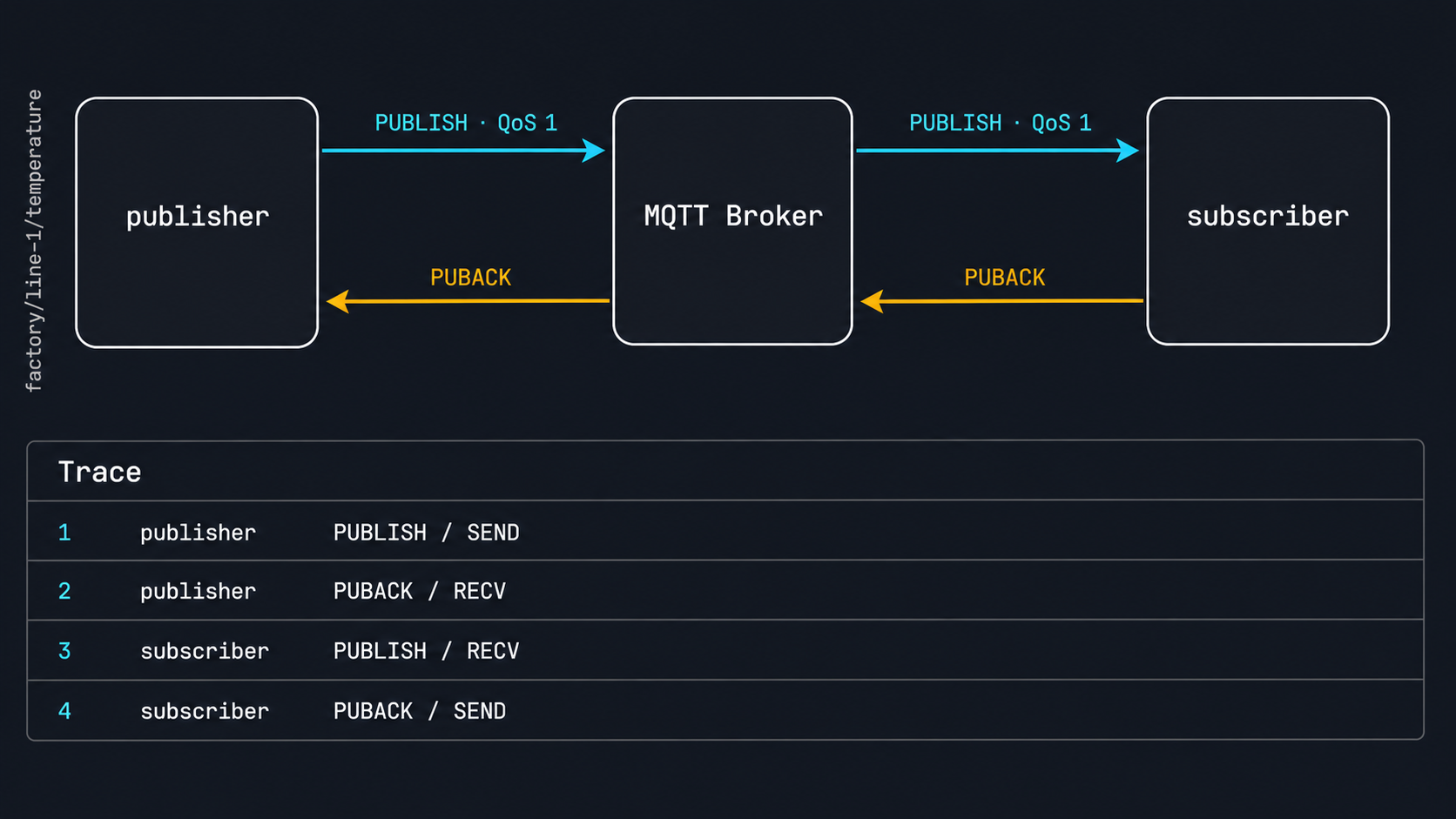
The Broker acknowledges the publisher session, forwards the message to the subscriber session, and receives that session's acknowledgement. Trace exposes all four packet directions.
Mqttable opened two independent MQTT 5.0 sessions. subscriber registered interest in one Topic, publisher sent a QoS 1 message to that Topic, and the Broker routed the message back to subscriber. Trace exposed both PUBLISH directions and both PUBACK directions so you could verify delivery.