
Preview Settings > Desktop
Preview Mqttable local and remote Runtime choices, updates, and native desktop controls.
- Author:
- Mqttable
- Updated:
On this page2 sections
Loading...
Preview Mqttable local and remote Runtime choices, updates, and native desktop controls.
Loading...
Desktop shows the Runtime and operating-system features included with the native app.
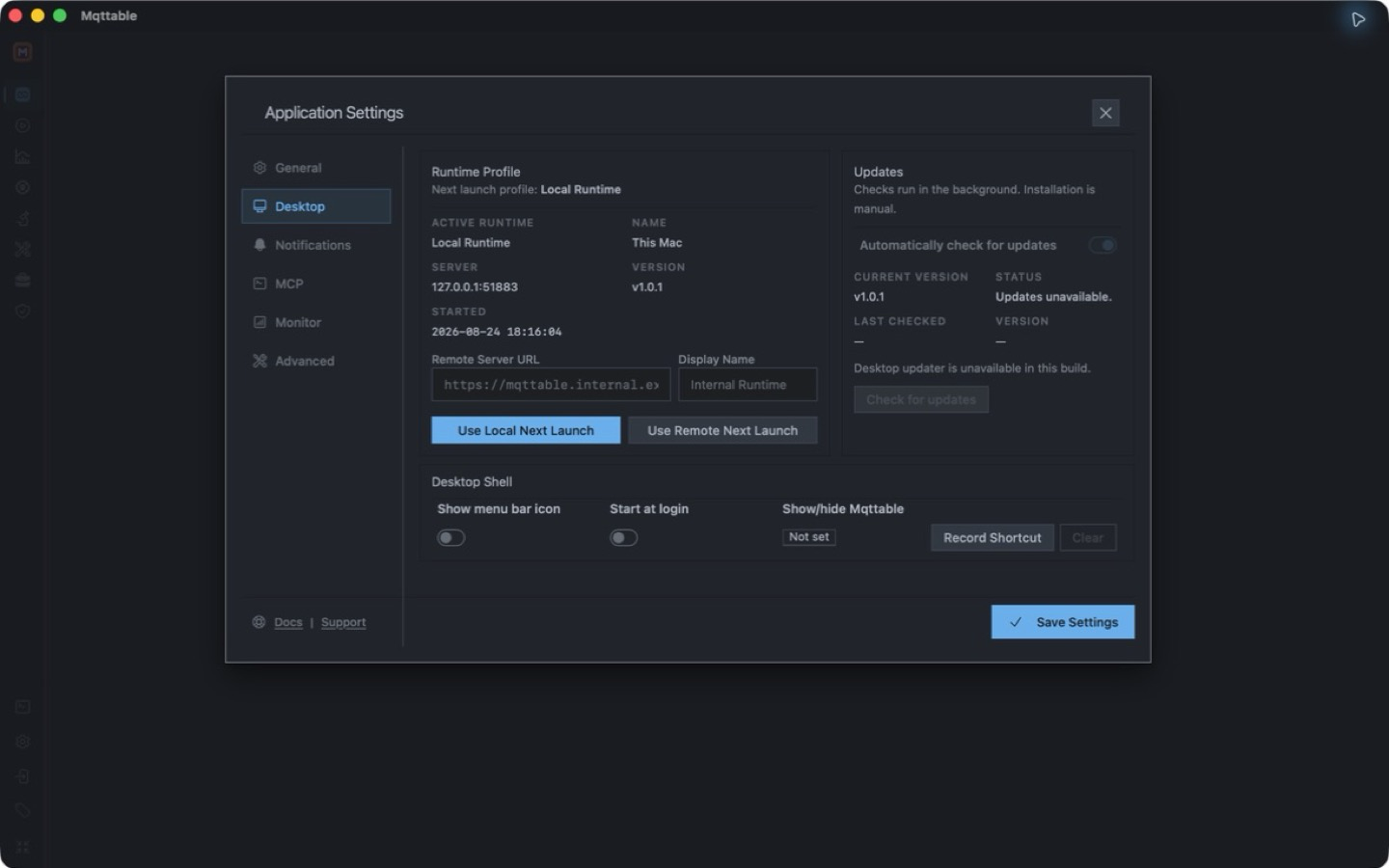
Settings > Desktop in the native Mqttable app keeps Runtime and operating-system controls together.
Mqttable can check for updates in the background, while installation remains manual. This tab also manages the menu bar icon, start at login, and the global show/hide shortcut; these preferences always belong to the local computer.
With Local Runtime, the menu bar / tray panel shows active connections, reconnecting clients, and running proxies with their connected-client counts. A registered client that reports a disconnect remains visible; idle configurations and explicitly stopped clients do not fill the list. Select an entry to open it in the main window.
Status refreshes while the panel is open. If fresh status is unavailable, the panel says so rather than continuing to show an online timer as current. The panel follows the system light or dark appearance, supports keyboard navigation, and closes with Esc.
Quit sits at the far right of the top row, beside Show Mqttable. Selecting it starts normal shutdown directly, without a confirmation dialog; this stops the local Runtime and its work.